Building a Hybrid Application in .NET with MAUI, Blazor SSR, and Shared Services
Modern applications rarely live on a single platform. Users expect seamless experiences across mobile, desktop, and web, while developers want to avoid duplicating logic and maintaining multiple codebases.
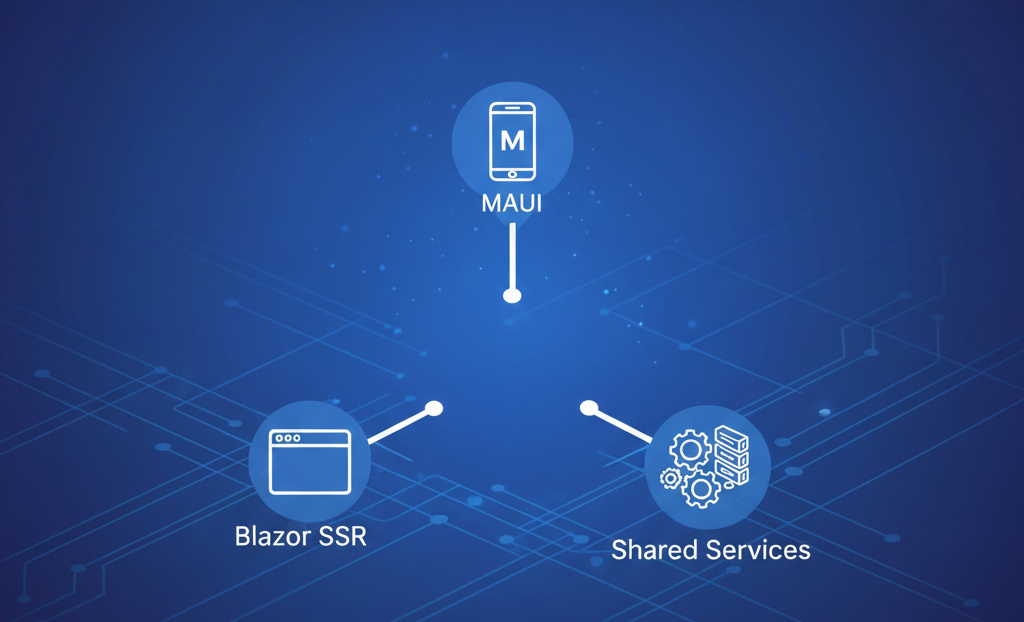
The .NET ecosystem makes this possible through a powerful combination of .NET MAUI, Blazor Server-Side Rendering (SSR), and cleanly extracted services shared through interfaces.
This article walks through an architecture where:
- Mobile and desktop apps are built using .NET MAUI
- Web app is built using Blazor with SSR
- APIs serve MAUI clients
- Business logic is extracted into shared interfaces and implementations
- Blazor SSR consumes services directly, not via HTTP
High-Level Architecture
At a high level, the solution looks like this:
┌────────────────┐
│  Blazor SSR    │
│ (Web App)      │
│ Uses services  │
│ directly       │
└───────▲────────┘
        │
┌───────┴────────┐
│ Application    │
│ Services       │
│ (Interfaces +  │
│ Implementations│
└───────▲────────┘
        │
┌───────┴────────┐
│ Web API        │
│ (Minimal API / │
│ Controllers)   │
└───────▲────────┘
        │
┌───────┴────────┐
│ .NET MAUI App  │
│ (Mobile +      │
│ Desktop)       │
└────────────────┘
Project Structure
A clean solution layout might look like this:
/src
 ├─ MyApp.Domain
 │   ├─ Interfaces
 │   └─ Models
 ├─ MyApp.Application
 │   ├─ Services
 │   └─ DTOs
 ├─ MyApp.Api
 ├─ MyApp.BlazorSSR
 └─ MyApp.Maui
Responsibility Breakdown
| Project | Responsibility |
|---|---|
| Domain | Interfaces, core models, business contracts |
| Application | Business logic and service implementations |
| API | HTTP endpoints for MAUI clients |
| Blazor SSR | Web UI, uses services directly |
| MAUI | Mobile + desktop UI, consumes API |
Step 1: Extract Business Logic into Interfaces
The foundation of this architecture is interface-based design.
Example Interface
public interface IProductService
{
    Task<List<Product>> GetProductsAsync();
    Task<Product?> GetByIdAsync(int id);
}
This interface lives in the Domain project and contains no platform-specific code.
Step 2: Implement Services Once
Service implementations go into the Application project.
public class ProductService : IProductService
{
    private readonly AppDbContext _db;

    public ProductService(AppDbContext db)
    {
        _db = db;
    }

    public async Task<List<Product>> GetProductsAsync()
    {
        return await _db.Products.ToListAsync();
    }

    public async Task<Product?> GetByIdAsync(int id)
    {
        return await _db.Products.FindAsync(id);
    }
}
These services:
- Contain all business logic
- Are testable
- Are reused by both API and Blazor SSR
Step 3: Build APIs for MAUI
MAUI apps communicate over HTTP, so we expose APIs.
Minimal API Example
app.MapGet("/api/products", async (IProductService service) =>
{
    return Results.Ok(await service.GetProductsAsync());
});
The API project:
- References Domain and Application
- Registers services via dependency injection
- Acts as a gateway for mobile and desktop MAUI clients
Step 4: Consume API from MAUI
In the MAUI app, use HttpClient to consume the API.
public class ProductApiClient
{
    private readonly HttpClient _http;

    public ProductApiClient(HttpClient http)
    {
        _http = http;
    }

    public async Task<List<Product>> GetProductsAsync()
    {
        return await _http.GetFromJsonAsync<List<Product>>("/api/products");
    }
}
This keeps MAUI:
- Lightweight
- Decoupled from backend logic
- Easily replaceable or scalable
Step 5: Build the Web App with Blazor SSR
Why Blazor Server-Side Rendering?
Blazor SSR is ideal for this architecture because:
- No API calls needed for internal data
- Faster initial page load
- SEO-friendly
- Shared validation and logic
- Lower network overhead
Instead of calling HTTP endpoints, Blazor SSR injects services directly.
@inject IProductService ProductService

<ul>
@foreach (var product in products)
{
    <li>@product.Name</li>
}
</ul>

@code {
    private List<Product> products = new();

    protected override async Task OnInitializedAsync()
    {
        products = await ProductService.GetProductsAsync();
    }
}
Why Blazor SSR Should Not Use the API
A common mistake is having Blazor SSR call the same HTTP APIs used by MAUI. This adds unnecessary complexity.
Direct Service Usage Benefits
| Direct Services | HTTP API |
|---|---|
| Faster | Slower |
| No serialization | JSON overhead |
| Shared validation | Duplicated logic |
| Easier debugging | Network failures |
Blazor SSR runs on the server — it is already inside the backend boundary.
Dependency Injection Setup
Both API and Blazor SSR register the same services:
builder.Services.AddScoped<IProductService, ProductService>();
This is what enables true code reuse.
Benefits of This Hybrid Architecture
1. Single Source of Truth
All business rules live in one place.
2. Platform Independence
UI changes do not affect core logic.
3. Scalability
You can:
- Add more MAUI apps
- Replace Blazor SSR with WebAssembly
- Introduce new APIs
4. Maintainability
Bug fixes and enhancements are applied once.
When to Choose This Approach
This architecture is ideal if:
- You need mobile + desktop + web
- You want maximum code reuse
- You care about performance and SEO
- You want clean separation of concerns
Conclusion
By combining .NET MAUI, Blazor SSR, and interface-based services, you can build a truly hybrid application with:
- Shared logic
- Platform-specific UIs
- High performance
- Clean architecture
This approach leverages the best of the .NET ecosystem while avoiding common pitfalls like duplicated logic and unnecessary API calls.